
Greensville Property Tax Record Fields
Two county systems produce Greensville property tax records. The Commissioner of the Revenue builds the assessment card and its parcel details. The Treasurer handles the tax tickets, bills, and payment history. Keep those roles straight. An assessed value is not a bill amount. A bill says nothing about who holds title to the parcel. The table marks any open fields plainly. A blank is a question for the office rather than a guess.
| Record or field | What it tells you | Where to look |
|---|---|---|
| Property card | Summary, improvements, sketches, and photos if available | Commissioner of the Revenue |
| Real-estate tax ticket | Tax account lookup by name, bill number, or parcel number | Treasurer e-services |
| Payment history | Recorded real-estate payment history | Treasurer e-services |
| Yearly taxes paid | Annual paid-tax inquiry is separately listed | Treasurer e-services |
| Assessment value and exemptions | Exact card fields and amounts were not exposed | Ask the Commissioner or inspect the live card |
No reassessment cycle, assessment ratio, or exemption list is published for Greensville. That gap matters when you read a value or a bill. Trust no rate, deadline, or tax-saving program unless the Commissioner of the Revenue confirms it in current material.
Greensville Assessment and Treasurer Bill
The Commissioner and the Treasurer answer different questions. The property card is the assessment route, and its landing page says results can include summary information, improvements, sketches, and photos when available. The Treasurer page is the tax-account route. Real-estate lookup runs by Name, Department/Bill Number, or Parcel Number, with payment history and yearly taxes paid attached to the account. Match the record to the question. Treating every number on those pages as "the value" invites confusion, because a card figure, a bill, and a sale price are different things.
For an assessment question, ask the Commissioner which card field carries the assessed value and which tax year it covers. Ask how land and improvements appear and how any exemption is recorded. For a bill, use the Treasurer's account. Keep the tax year, bill number, parcel ID, and date. The county pages do not show every card field online, so a phone or counter check may settle what the screen leaves out. The Commissioner's property-card page names the card categories. An acknowledgement screen comes first.
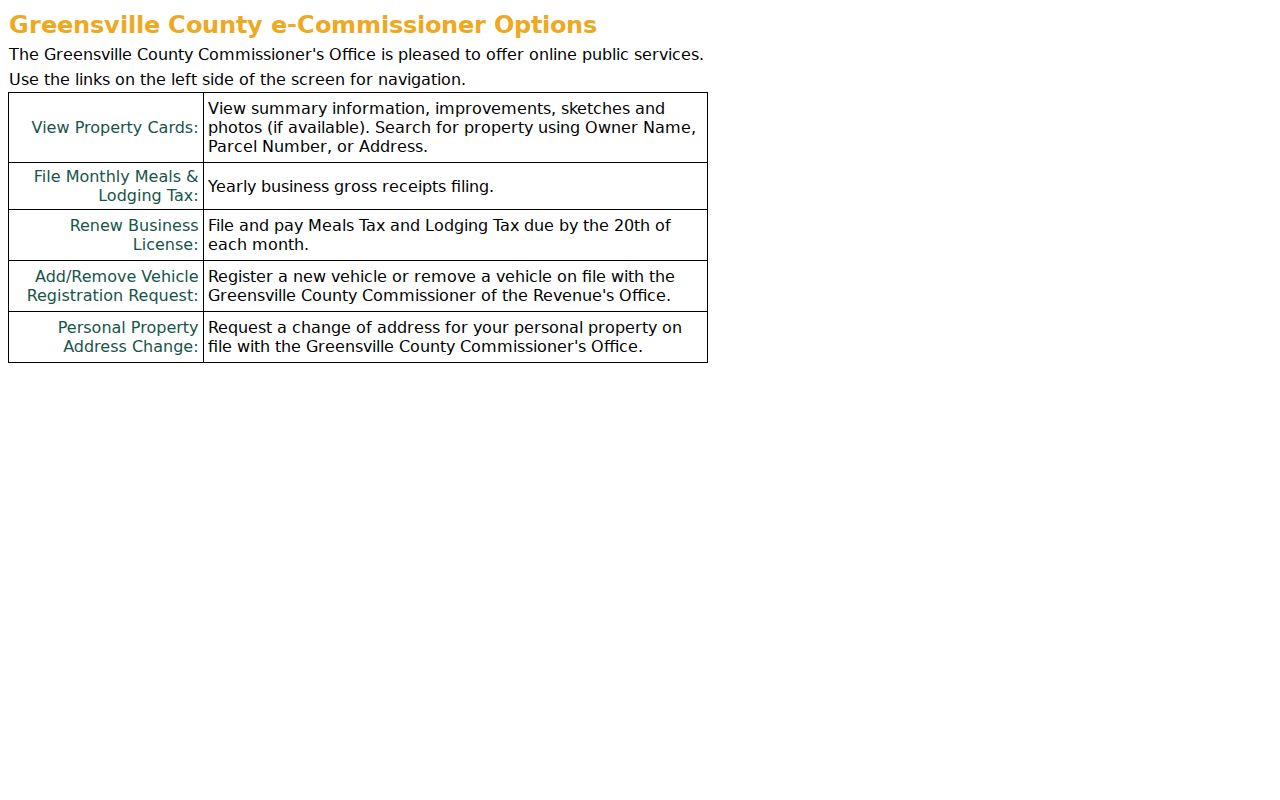
The entry screen is not a value result. Confirm the tax year and field names on the live card before quoting any amount.
Greensville Tax Bill Search Keys
The Treasurer's real-estate inquiry page states which search keys reach an account. A Department/Bill Number works from a printed notice. A parcel number ties the bill to the card. A name search casts a wider net, so compare the parcel and the situs address before trusting a match. The page does not state the required status, the exact parcel syntax, the name-matching rules, the result limits, or the available tax years. Plan on a phone check for those details.
| Portal label | Input type | Known use | Format notes |
|---|---|---|---|
| Name | Text/name | Look up a real-estate tax account | Required status and partial match not stated |
| Department/Bill Number | Text | Reach a numbered ticket | Length and punctuation not stated |
| Parcel Number | Text | Cross-reference tax to land | Exact APN syntax not stated |
The county portal offers more than land taxes. Choose Real Estate so a meal, personal-property, business-license, pet-tag, or landfill item is not confused with a real-estate tax ticket.
Greensville Payment History
The Treasurer's e-services include Real Estate payment history and a separate "Yearly Real Estate Taxes Paid" inquiry. One shows whether a payment posted. The other shows which tax years were paid. Neither is a certified title record, and neither promises that every adjustment has cleared. Save the result date and tax year. A sale or an estate file can turn on that status.
Use the yearly inquiry as a record of paid-tax information for the year shown, then compare it with the individual ticket before calling an account clear. A payment-history line, a yearly paid amount, and the current amount due answer different questions. Credits can blur the picture. If the online display leaves a credit, adjustment, or older installment unclear, note the bill number and parcel ID. Ask the Treasurer to explain the account ledger. Keep the reply with its tax year, because a later posting can change what the screen shows today.
The Treasurer's official landing page shows both inquiry choices. No history cutoff or copy fee is stated there. Ask the office for either.
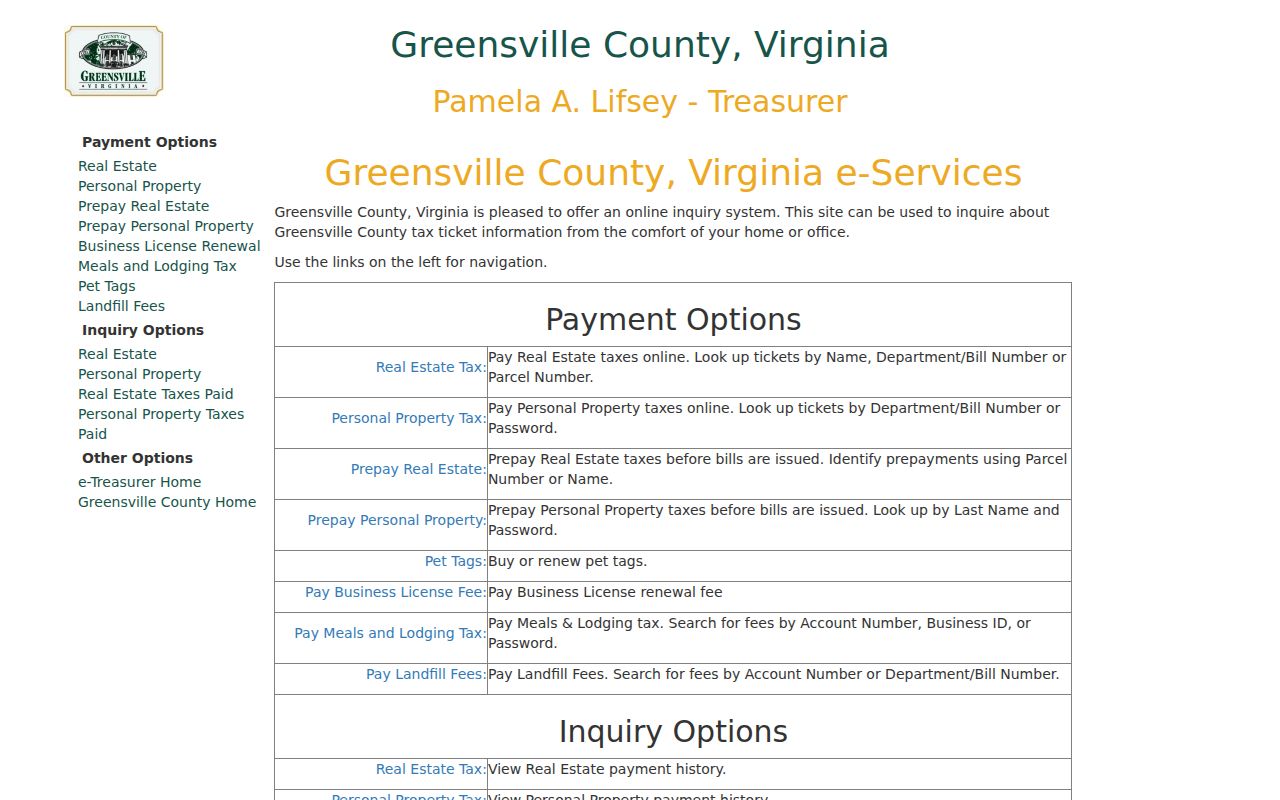
The official Treasurer page lists both inquiry routes. Ask the office for a formal account statement when an official payoff figure is needed.
Greensville Tax Balance Limits
The county's own tax disclaimer warns that a balance may not reflect an adjustment or a payment still in transit. It also says the information carries no warranty. Timing matters. A display works for a quick current check. If money was just sent or a credit is pending, call the Treasurer and ask what the system shows and when the payment will post. Never lean on a web balance alone. A closing or payoff needs a firmer figure.
The same county disclaimer states that Social Security numbers are confidential under Virginia tax statutes, including Va. Code §§58.1-3 and 58.1-3017. Public tax access does not make protected data public. Request records by parcel or bill number. Avoid sending a sensitive number in an open request unless the custodian requires a protected process.
Greensville Assessment Review
Virginia Code Title 58.1 sets the real-property tax framework. Section 58.1-3980 and its related provisions cover correcting erroneous assessments and pursuing court review. Greensville publishes no local appeal calendar or board schedule. No application form, hearing dates, filing fee, or assessment ratio is posted either. Guessing a general deadline invites a lost appeal. Ask the Commissioner which local review route applies to the tax year and what evidence the office accepts.
A clear assessment dispute starts with the parcel. Name the year and the disputed card field. Evidence should tie to the property itself, such as a corrected area or a recorded description. The online card's exact fields must be checked live before an appeal can name them. An assessment review concerns the tax record only, and it stays separate from a Treasurer question about a bill or payment history.
Local appeal details remain unverified. Contact the Commissioner for the current Greensville form, review steps, dates, and fees. The county sources inspected do not publish those items in the accessible property-card text.
Greensville Exemption Fields
The county landing page names no Greensville exemption list. It also does not show how exemptions appear on a property card. The right next step is inspecting the live card or asking the Commissioner which flags and amounts exist. Never assume an exemption from age or use. Programs from another locality do not carry over. If a card's taxable amount differs from the assessed field, ask the office to explain the local record rather than applying a generic formula.
For an existing exemption, get the current official form. Ask the Commissioner for its eligibility rules as well. No fee or renewal interval is posted. Virginia FOIA permits a request for an existing document held by a county office but not posted online. Statutory exemptions and actual-cost charges still apply. FOIA does not make the office create a list or calculate an amount it never kept.
Greensville Delinquent Tax Records
Greensville publishes no official delinquent-tax list. No tax-sale calendar or sale portal appears online either. That gap is not proof that no delinquency or proceeding exists. Ask the Treasurer for the tax ticket. Ask whether payment is current. Then ask the Circuit Court Clerk whether any court case or land instrument touches the parcel. A delinquency, a sale notice, a confirmed sale, and a recorded tax deed are distinct events.
For a possible tax sale, request the delinquency years, the notice, the advertisement, purchaser details, the confirmation order, and any recorded deed. For a foreclosure, use the court docket for pleadings and sale orders, then SRA for a trustee's deed or release. The tax account alone proves no conveyance. Keep the parcel ID handy. Include the legal description in each request.
Greensville Tax Record Requests
Older years and certified copies often sit off the portal. Contact whichever office keeps the record, since each holds a different piece. The Commissioner has the card and assessment fields. The Treasurer handles bills and payments. The Clerk records deeds and court orders. Say whether the copy must be certified. Request the current charge before paying. Note that the county posts no official local fee schedule.
Virginia FOIA calls for a response within five working days. The office may provide the record. It may cite an exemption, report that none exists, or explain a permitted delay. Charges can reflect actual search and copy costs. The Virginia property-tax statutes describe the state framework. The FOIA statute sets the public-record request rule.